Find a service
The HPP x402 Explorer is the front door to every paid service on HPP: a searchable catalog of APIs, MCP tools, and agents, plus a block explorer for the payments themselves.
Everything on it is public — no sign-in is needed to browse, search, or inspect payments. You only sign in to list a service of your own.
The layout
Every page shares the same frame:
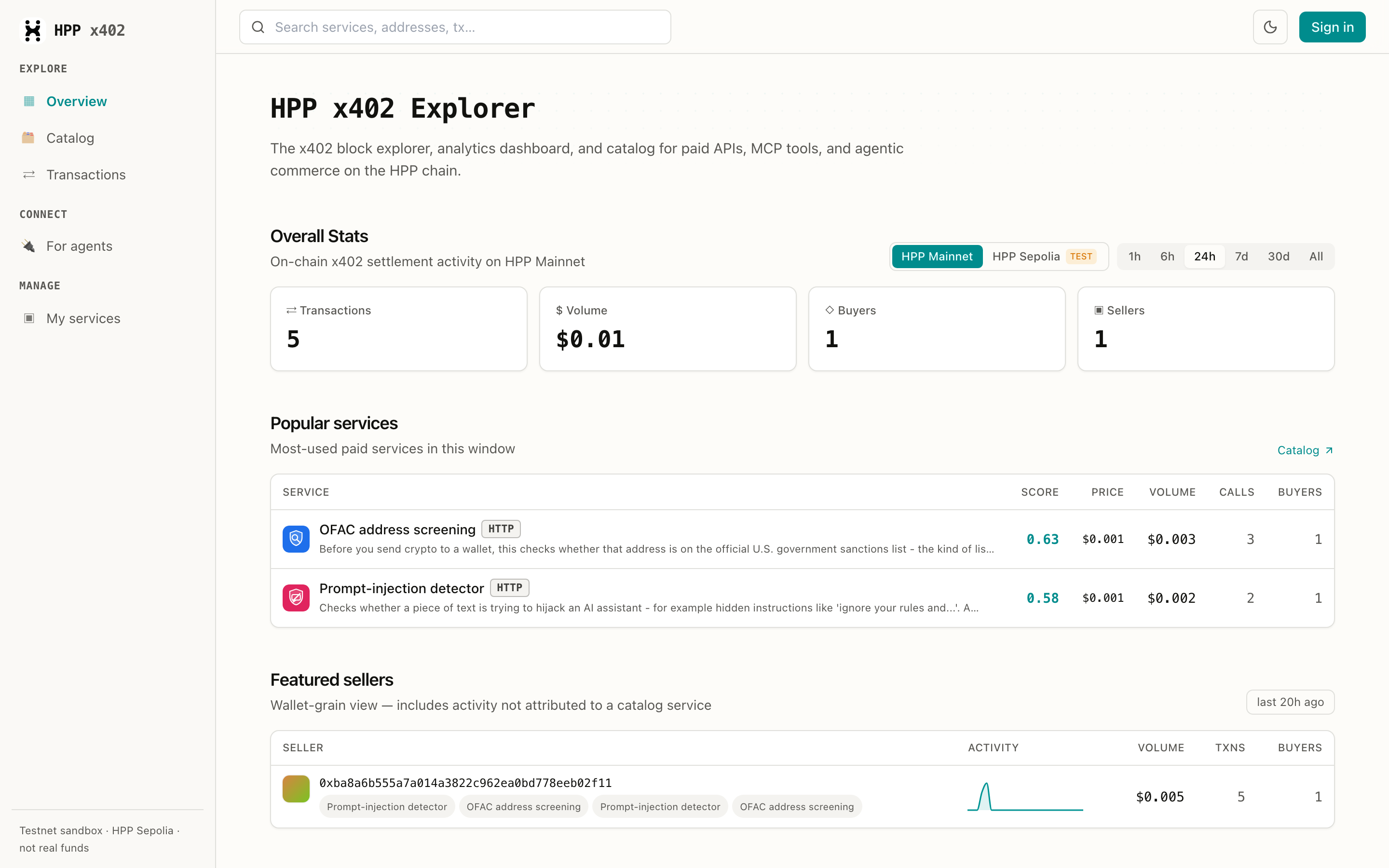
| Where | What it is |
|---|---|
| Explore → Overview | Activity dashboard: totals, popular services, active sellers |
| Explore → Catalog | The searchable list of paid services |
| Explore → Transactions | Every x402 settlement, newest first |
| Connect → For agents | Point an AI agent at the catalog |
| Manage → My services | Your own listings (sign-in required) |
| Top-right | Network switch (HPP Mainnet / HPP Sepolia), dark mode, sign-in |
The network toggle changes everything on the page — catalog, stats, and transactions are per-network. HPP Sepolia is the test network: services there are paid with test USDC.e, so it's the safe place to try a purchase first. Switch with the toggle at the top right of Overview, Catalog, and Transactions.
Search the catalog
Open Catalog and describe what you need in plain language — the search is hybrid (vector + keyword), so you don't have to guess a service's name.

Typing "check a wallet for sanctions" finds the OFAC screening service even though the words "OFAC" and "screening" never appear in the query.
Narrow the list with the filter row:
| Filter | Keeps only |
|---|---|
| On-chain identity | Services with an ERC-8004 identity minted on-chain |
| Seller | Services the seller registered and signed for |
| Auto-indexed | Services discovered automatically from their first settlement |
| Verified only | Services whose payout wallet has been proven by signature |
Each card shows the price per call, the transports it speaks (HTTP, MCP, A2A), how many
settlements it has, and how many distinct buyers paid for it.
One service can appear as two rows — the seller published it over both HTTP and MCP. Same seller, same price, same settlement; the id you copy decides which transport you call, and the two can take a different request body. Connect an agent has the details.
Read a service page
Click Open service on any card.
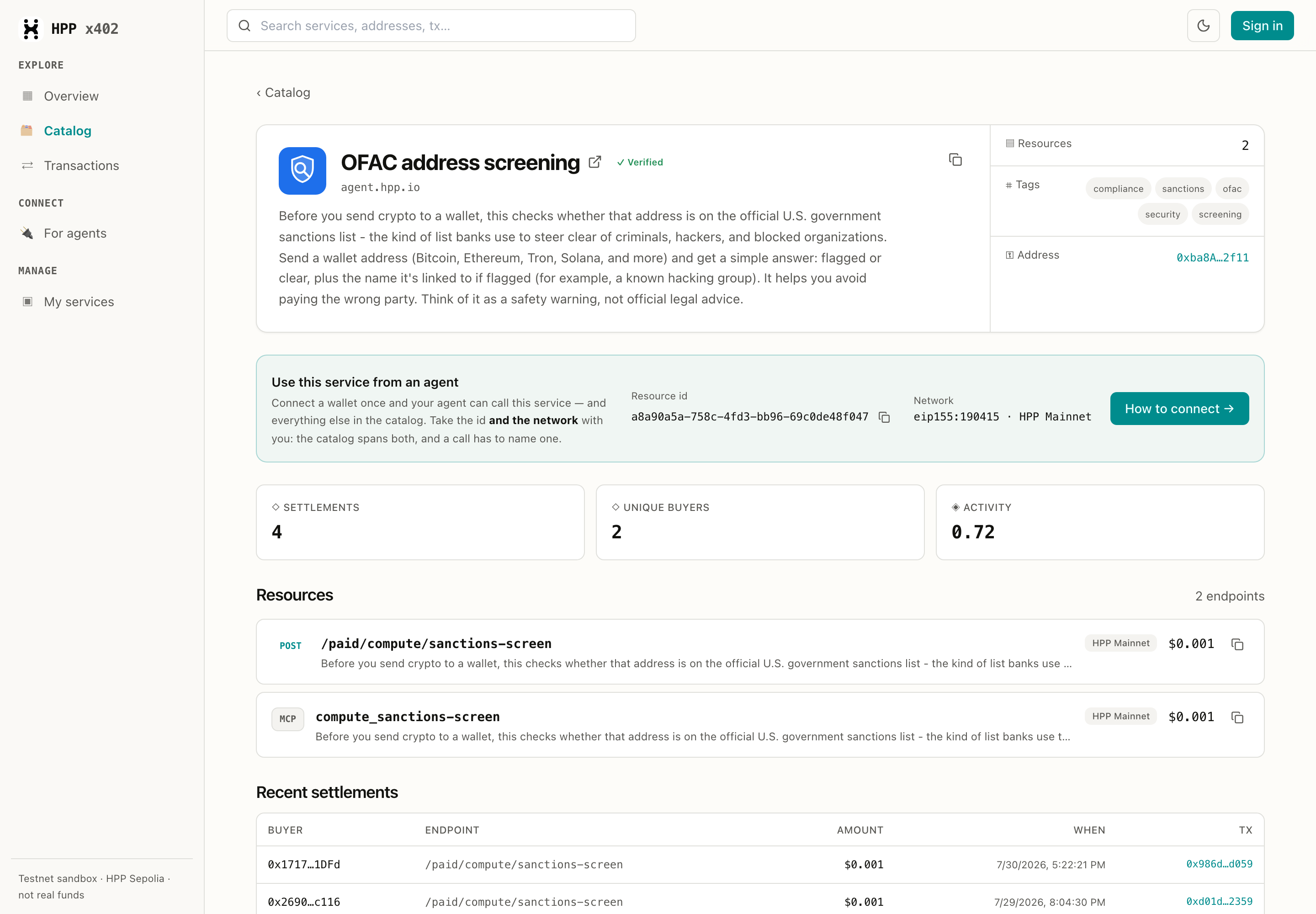
A service page answers the three questions you have before spending anything:
- What can I call? — the Resources list is the service's endpoints. Each row is one
callable thing: an HTTP route (
POST /paid/compute/sanctions-screen) or an MCP tool (compute_sanctions-screen), with its own price. The copy button next to a row copies its resource URL. - Is it real? — Settlements and Unique buyers are counted from on-chain payments, not self-reported. Activity is a composite score over that history, so a service can't fake its way up the catalog.
- Who gets paid? — the Address in the side panel is the seller's payout wallet; click it for that seller's full history.
Recent settlements at the bottom lists real payments — buyer, endpoint, amount, and a link to the transaction on the HPP block explorer.
Above the stats, Use this service from an agent carries the two things a call needs — the service's resource id and its network — over to Connect an agent, where the setup is documented once. Every endpoint row shows its network too: the catalog spans HPP Mainnet and Sepolia, and a payment has to name one.
A Verified badge means the payout wallet signed a challenge proving it controls that address. Auto-indexed listings without the badge are still real — they were discovered from real on-chain payments — but nobody has claimed them yet.
Look up a seller
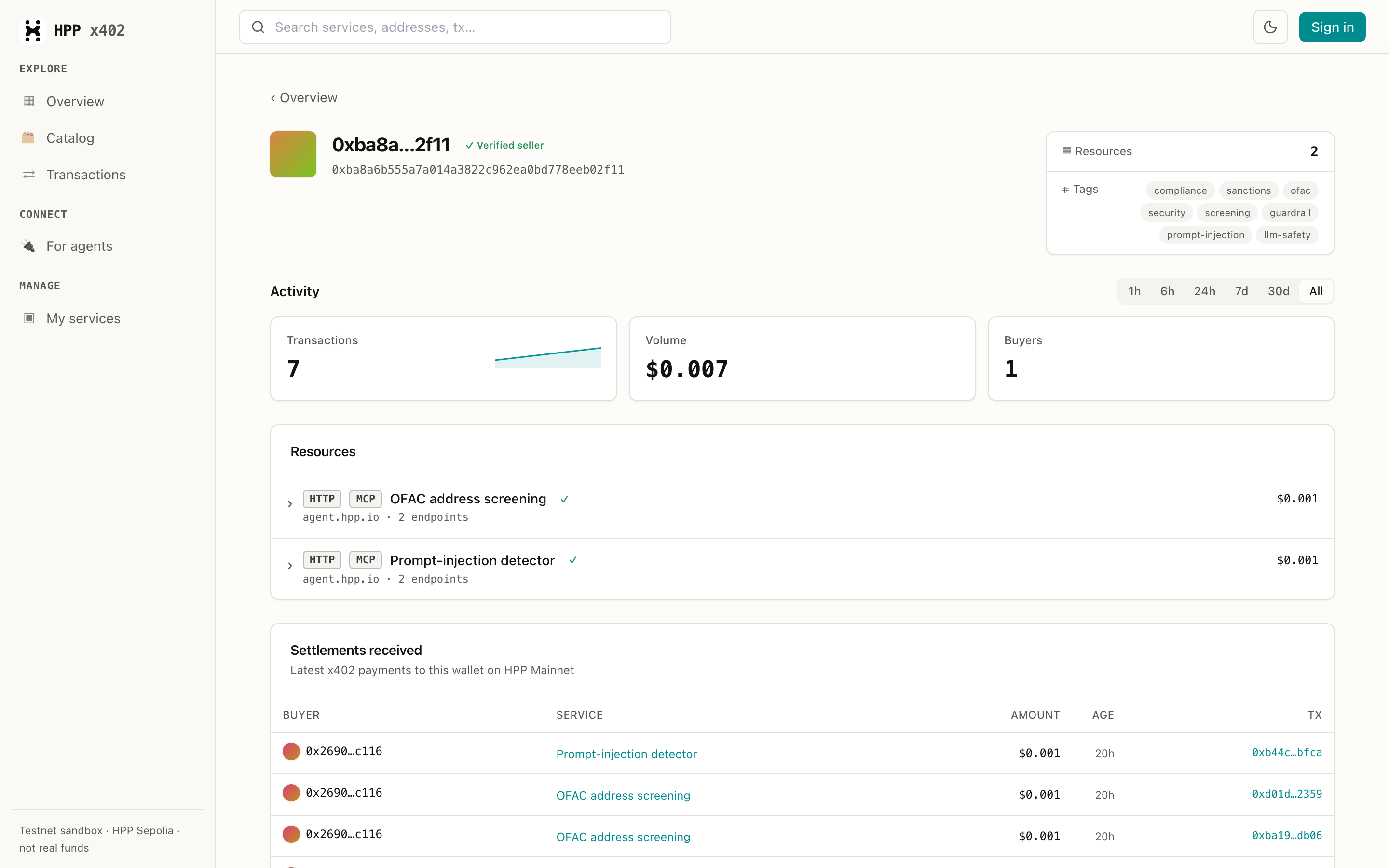
A seller page rolls up every service one wallet is paid for, plus the payments it has received:
Follow the money
Transactions is a plain feed of x402 settlements on the selected network — buyer, seller, service, amount, block, and the transaction hash:
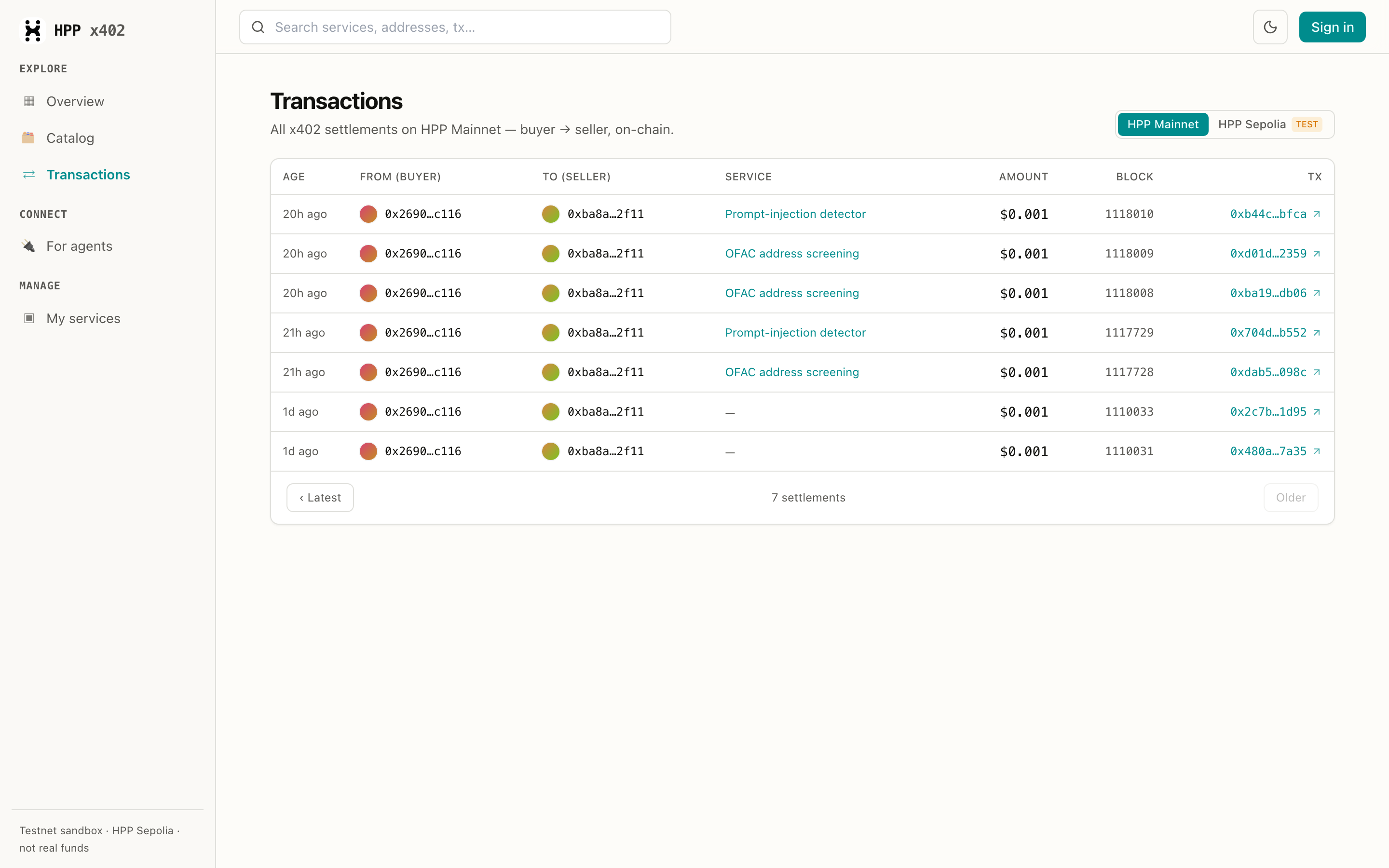
The feed is scanned from the chain itself, so it shows every x402 settlement — including payments
to services that aren't in the catalog. Those rows carry a — in the Service column: the
payment is real and verifiable, it just isn't attributed to a listing.
Now pay for it
Found something you want to call?
- From an AI agent — connect the Explorer's MCP server and let the agent find and call it.
- From your own code — follow Quickstart: Buyers.
- From the terminal —
hpp-x402 call <url-or-id>, see Pay from an AI agent.