The dashboard
Every agent ships a web dashboard: npm run dev → http://localhost:3100. It's the fastest
answer to "is my node healthy, and what has it earned?". Screenshots below are from a live
production agent.
Agent (home)
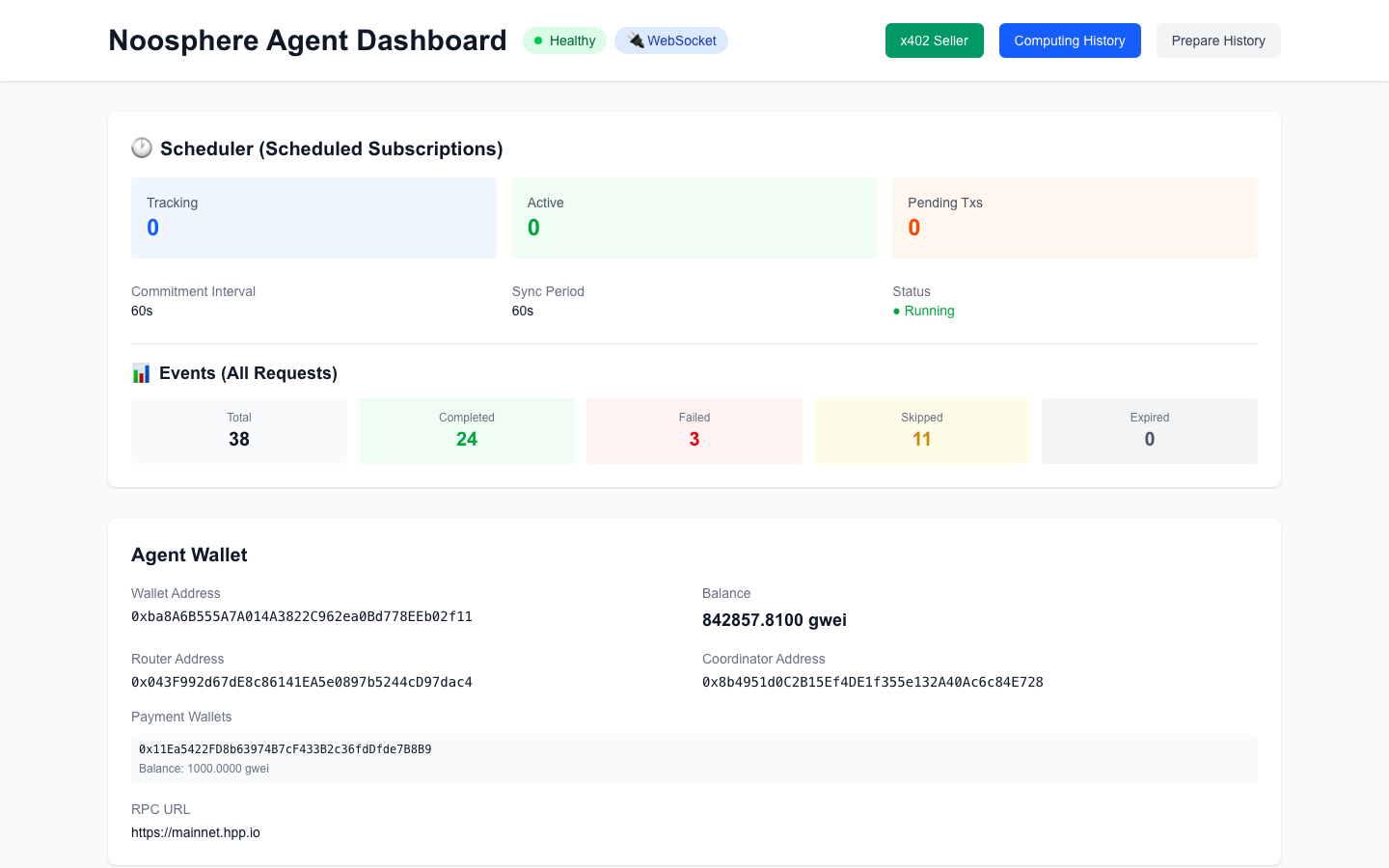
| Panel | What it tells you |
|---|---|
| Header badges | Healthy = agent API is up · WebSocket = live chain connection (falls back to polling if your RPC has no WS) |
| Scheduler | The scheduled-subscription engine: how many subscriptions it's Tracking, Active interval commitments, Pending Txs in flight, its commitment/sync intervals, and its Running status |
| Events (All Requests) | Lifetime request counters — Total / Completed / Failed / Skipped / Expired. Completed going up = you are earning. Failed → check container logs; Skipped = requests for containers you don't serve or that another agent won |
| Agent Wallet | The delivery-signing wallet: address, gas balance (keep it funded!), the Router/Coordinator addresses the node is wired to, your payment wallets, and the RPC in use |
| Available Containers · Verifiers | Which images are up (with ports) and which verifier contracts + proof services this node serves |
x402 Seller
(Shown when x402Seller.enabled — see Sell from an agent.)
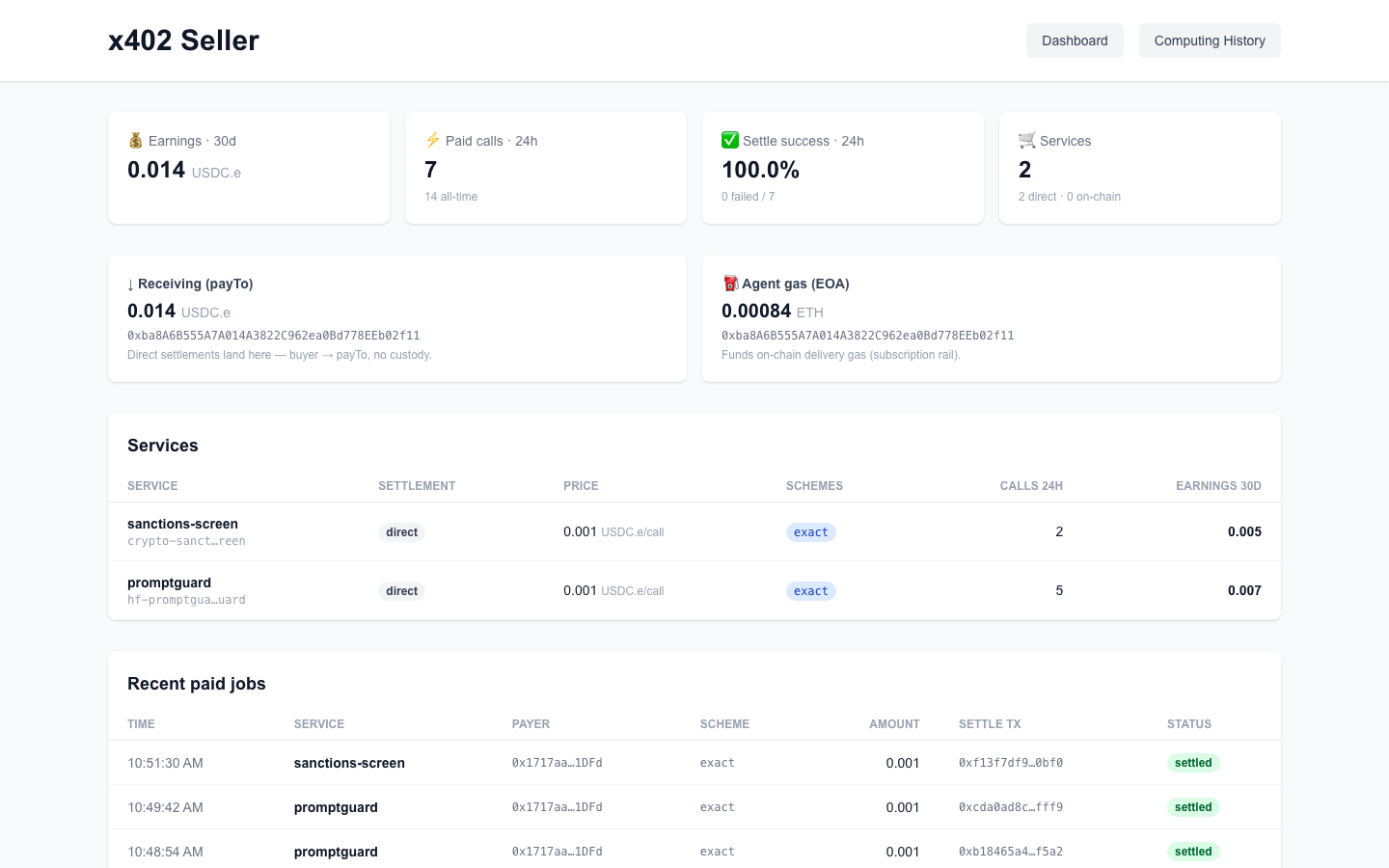
| Panel | What it tells you |
|---|---|
| KPI cards | Earnings 30d · Paid calls 24h (+ all-time) · Settle success 24h · Services (direct / on-chain) |
| Receiving (payTo) vs Agent gas (EOA) | The two wallets, side by side: where buyer payments land (direct settlement, no custody) vs what funds delivery gas for the on-chain rail |
| Services | Each service's settlement mode, price (USDC.e/call), schemes, calls (24h), earnings (30d) |
| Recent paid jobs | Live feed: time, service, payer, scheme, amount, settle tx (on-chain proof), status |
Raw data behind this tab: GET /api/seller/{summary,wallets,services,jobs,earnings} on the
agent API (:4000).
Computing History
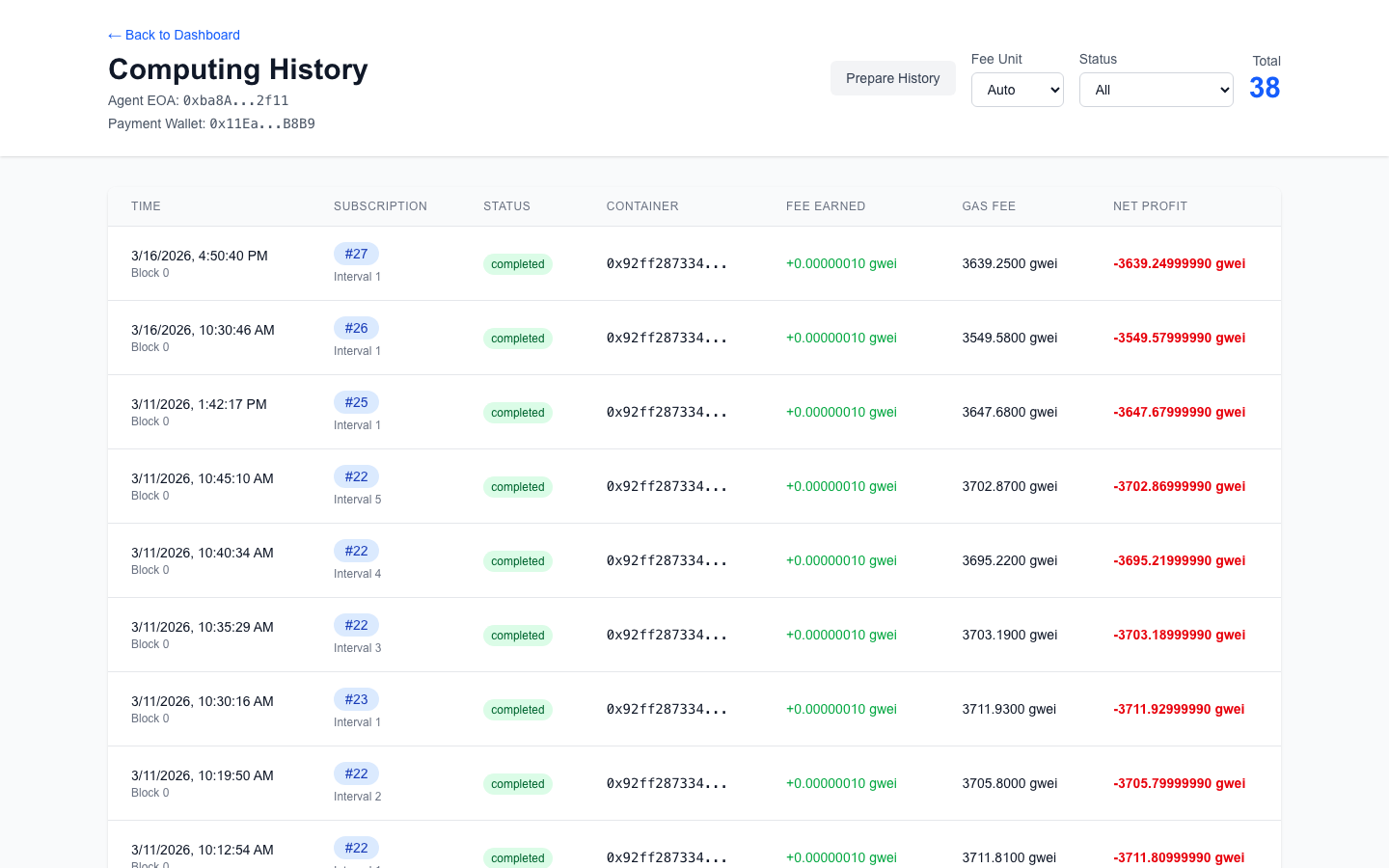
Every on-chain delivery your node made: subscription, interval, container, the delivery
transaction, the fee earned vs gas spent — your profit per job. Use it to sanity-check
pricing: if gas regularly eats the fee, the subscription's feeAmount is too low for your
network conditions.
Prepare History (header button) shows the scheduler's interval commitments — useful when you're debugging why a scheduled subscription was or wasn't picked up.
Reading the dashboard like an operator
- Am I healthy? Header badges + Scheduler
Running. - Am I earning? Events Completed rising (on-chain rail) · Seller Recent paid jobs filling (x402 rail).
- Am I about to stop earning? Agent Wallet balance low → deliveries will start reverting.
- Was that job worth it? Computing History → fee vs gas per delivery.